Ingenious .net makes it possible to manage and analyze numerous products with its rental product administration. There are two user interfaces: “General list view” and “Serial number assistant”. The general list can be accessed by the menu “Rental product administration.”
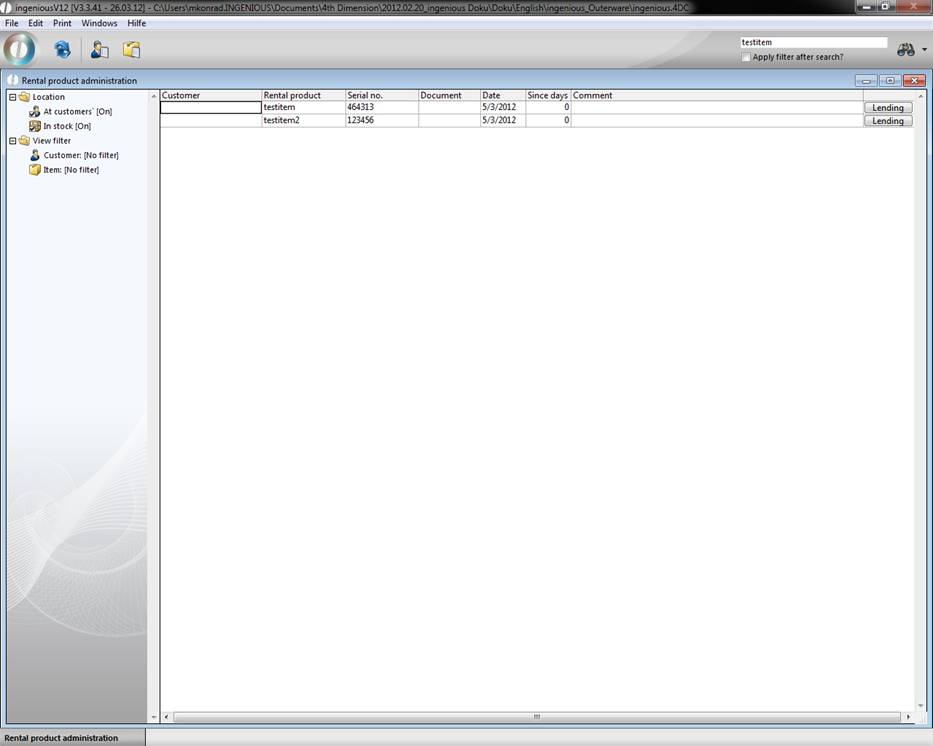
Here you have an overview of all existing rental products, and you can refine the search by using various search and filter operations. Only those articles will be displayed that are activated in the detail view in the “Parameter” column as rental products. Rental, return and posting are made with the  button.
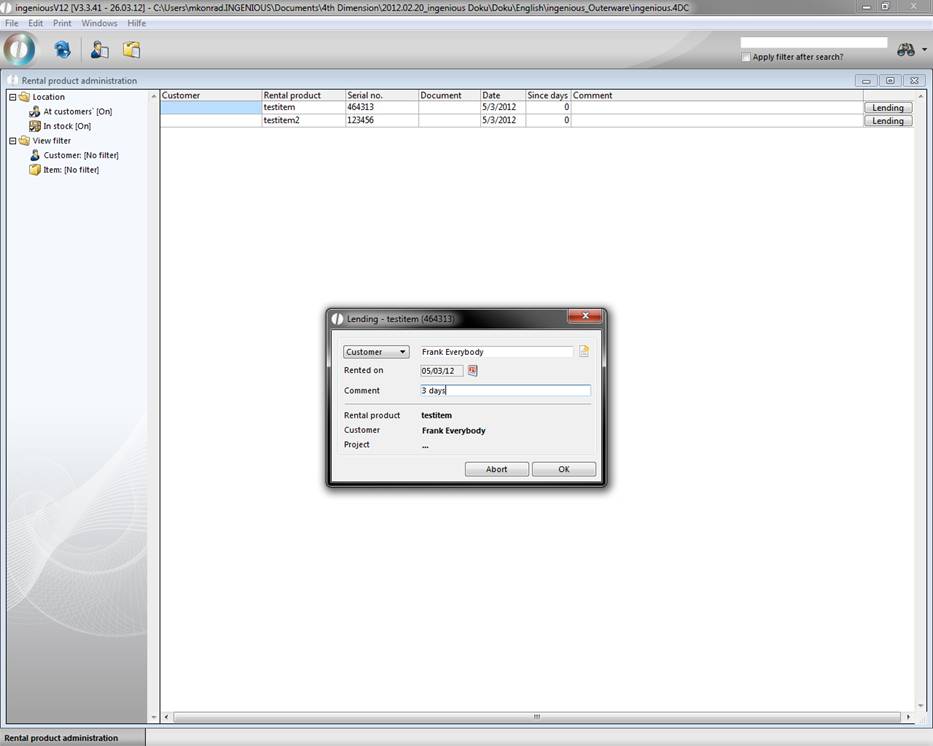
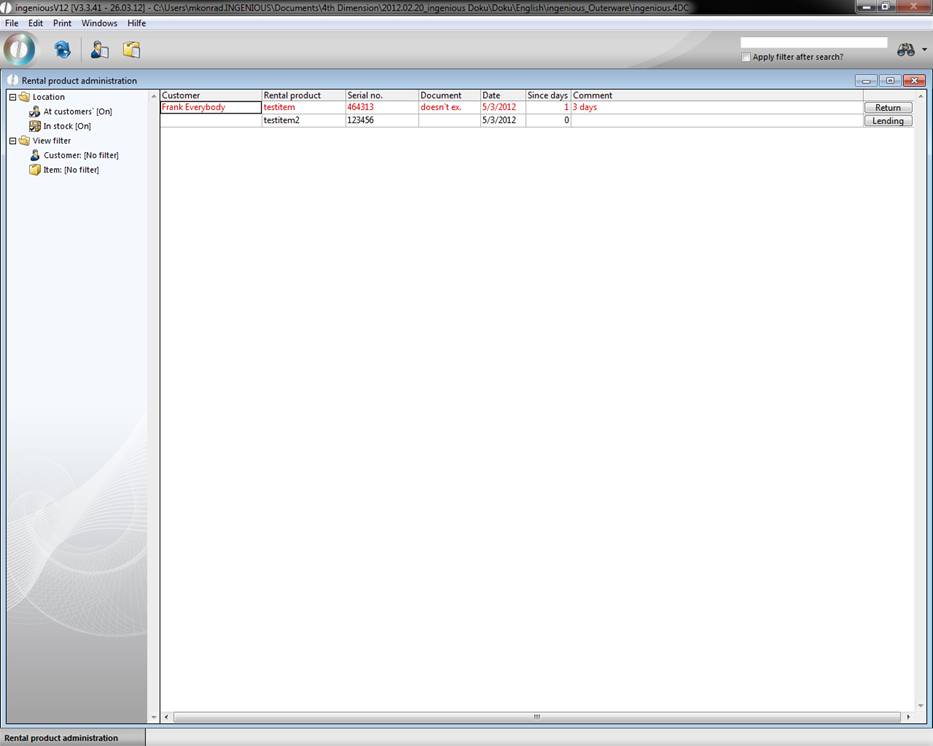
In the “Rental” window, you can select the desired customer and respectively the project, date of the rental and if necessary, make a comment about the rental. When activating the window, the article appears in red and has the label “Return”.
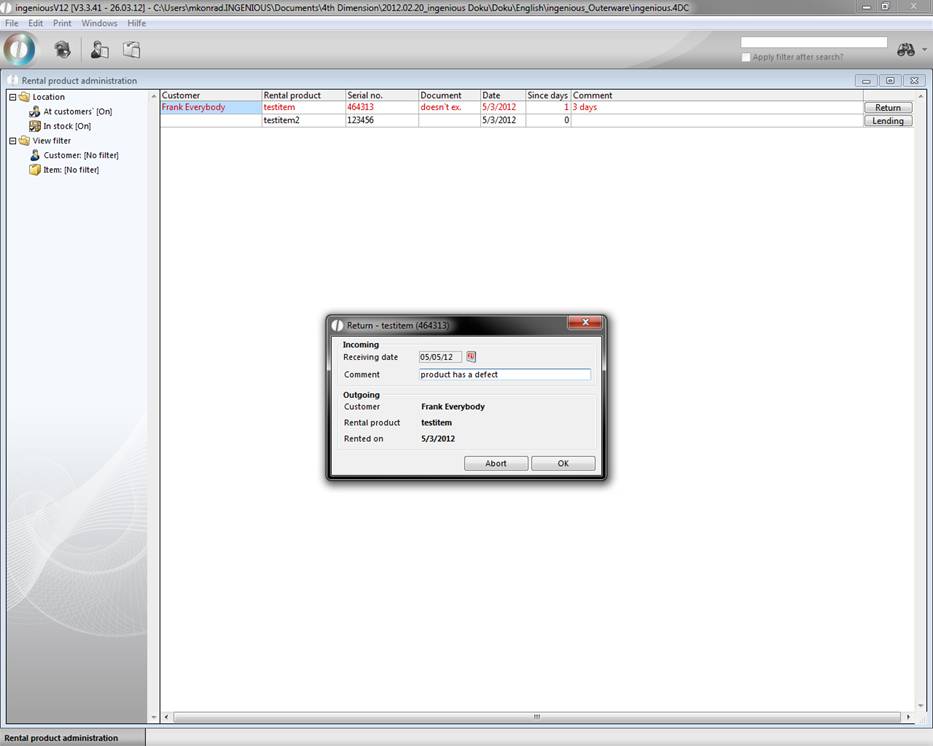
When the article is released again, click on the “Return” button and a new window opens. Here you can enter the customer remarks about the article and if necessary, change the return date. The article is found again in the “Rental” status and will be listed with the last return date and comment.
A further possibility is offered: With the “Customer history”  button, you can list the rental time periods for a customer. With the list field “Article”, you can also only show the data of a specific rental product.
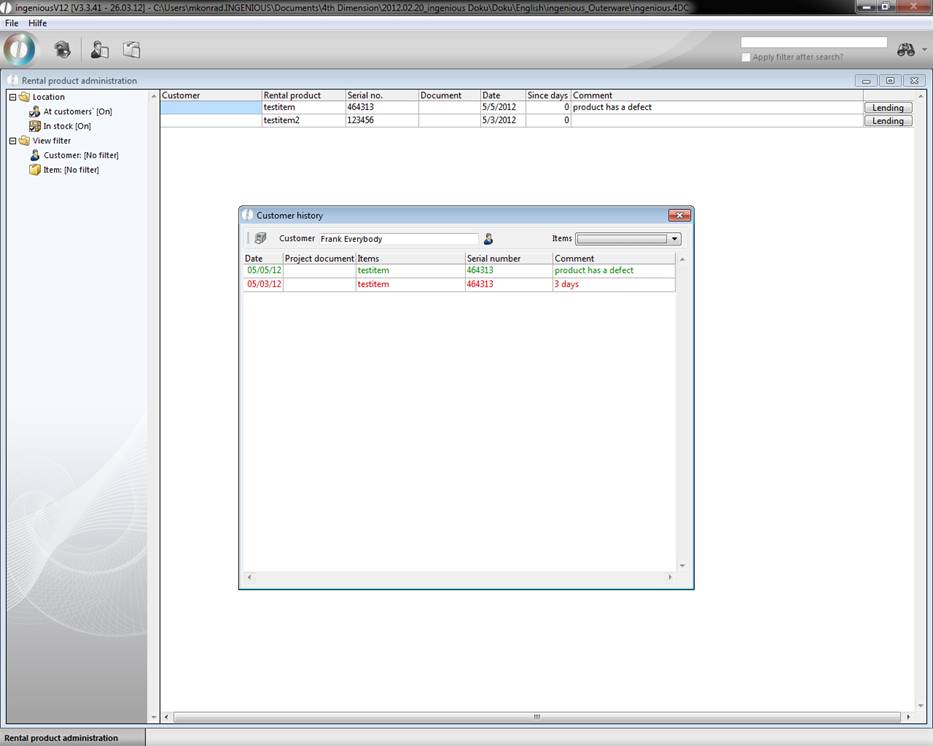
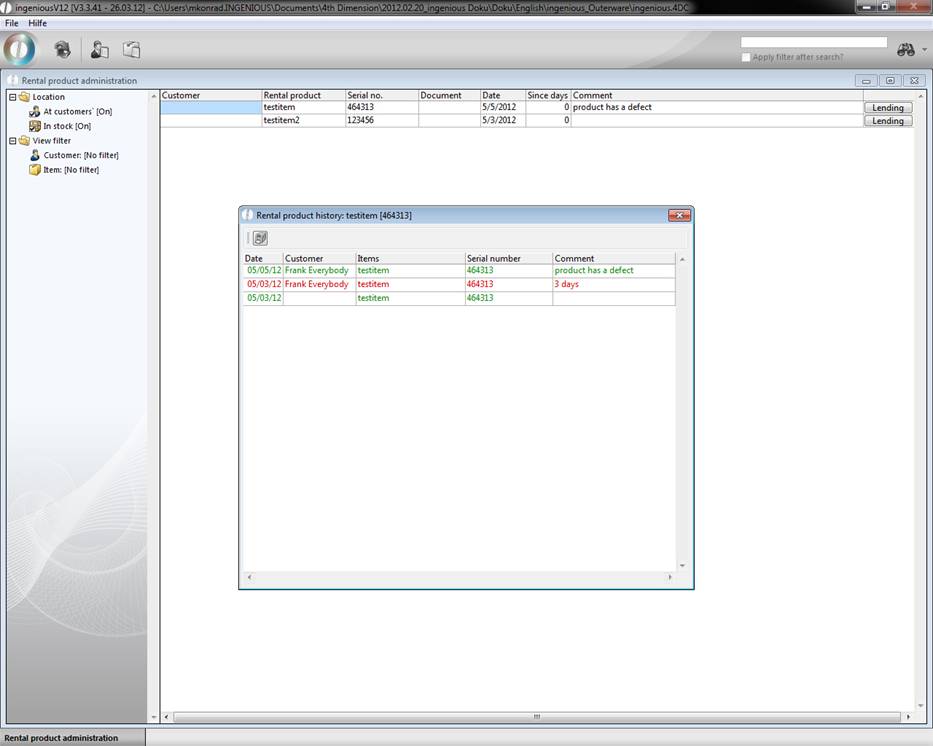
With the  button, “Rental product history”, you can print the customer and rental article information. “Rental history”, as well as “Customer history” can be printed by using the
  button.
The serial number assistant
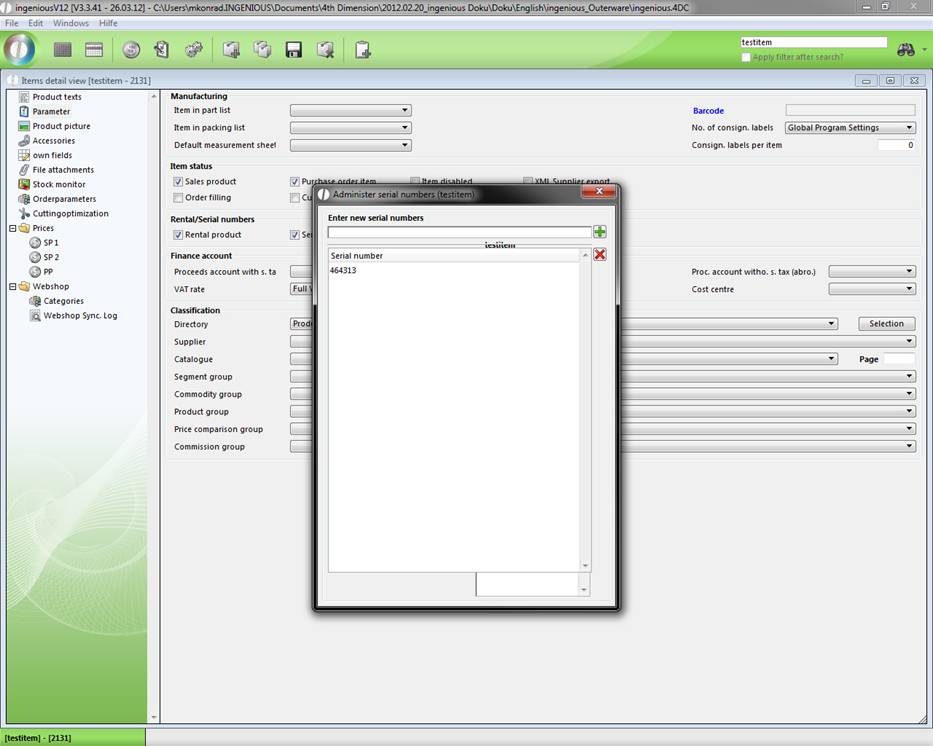
You will find the serial number assistant in the article detail view in the “Parameter” column. You access the assistant by placing a checkmark in the field, “Serial number duty” and by clicking on the  button. With the serial number assistant, the management of the serial numbers can be carried out (
 create new,
  delete) for rental products.
Rental products - reminders
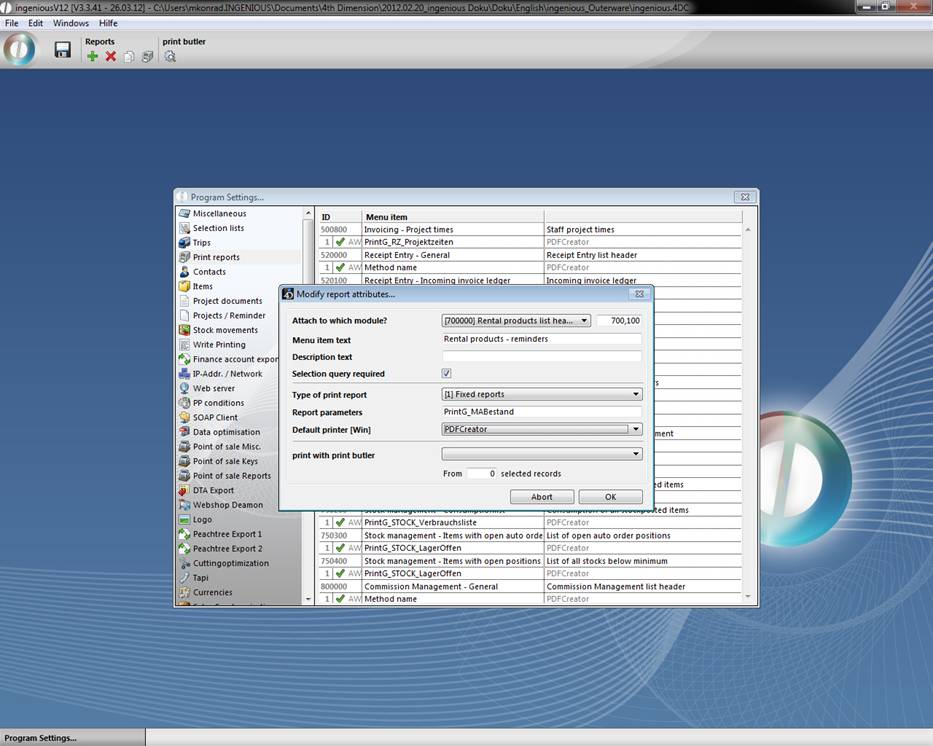
Reminders for rental products will be printed in a single report that must be created in the program settings in the column “Print reports” via the  button. Attach the report to the “Rental products list header” and select “(1) fixed reports” as the type of print report. In the “Report parameters” field, you enter the following: PrintG_MABestand.
When you have updated all the settings and saved them, you can print the desired print report in the “Rental product administration” module, with the “Print” menu. In case the print report is not available, please check whether the corresponding rights are cleared in the user administration. In the window that appears “Rental article administration customer base”, you can select individual contacts and/or a contact folder with the button to print the reminder. Furthermore, you can list the number of days overdue with the field, “Since days is greater than”. Thus only reminders i.e. that are overdue three days or more with the return in default will be printed for the customers.